593 B
593 B
How to make display work
-
Download CH343SER.EXE and install it.
-
Connect ESPlan to your PC.
-
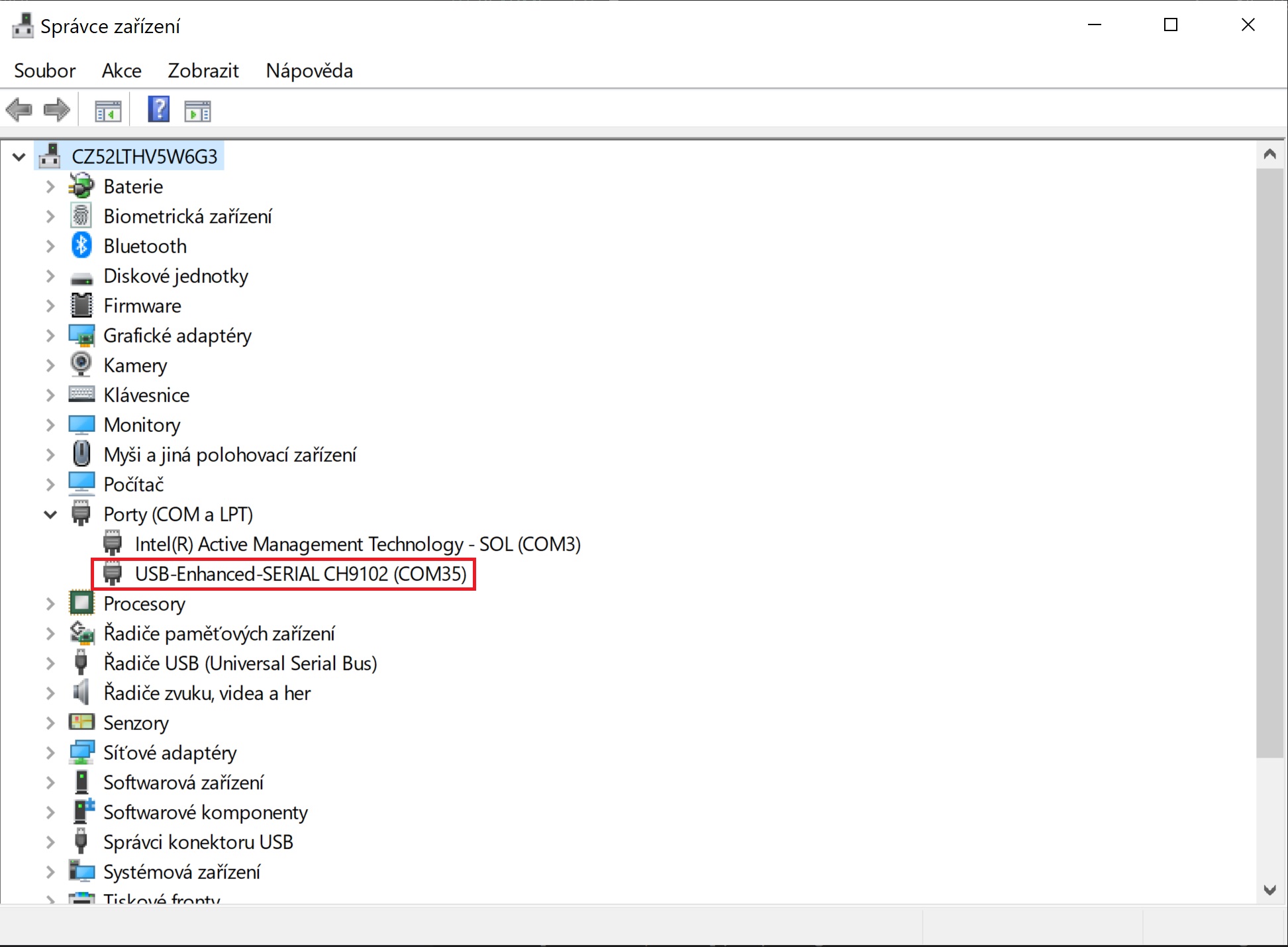
Open Device Manager (Start → Control Panel → Hardware and Sound → Device Manager) and find COM port number.
Arduino IDE
-
Download Github repository and look for project you want to try in SW folder.
-
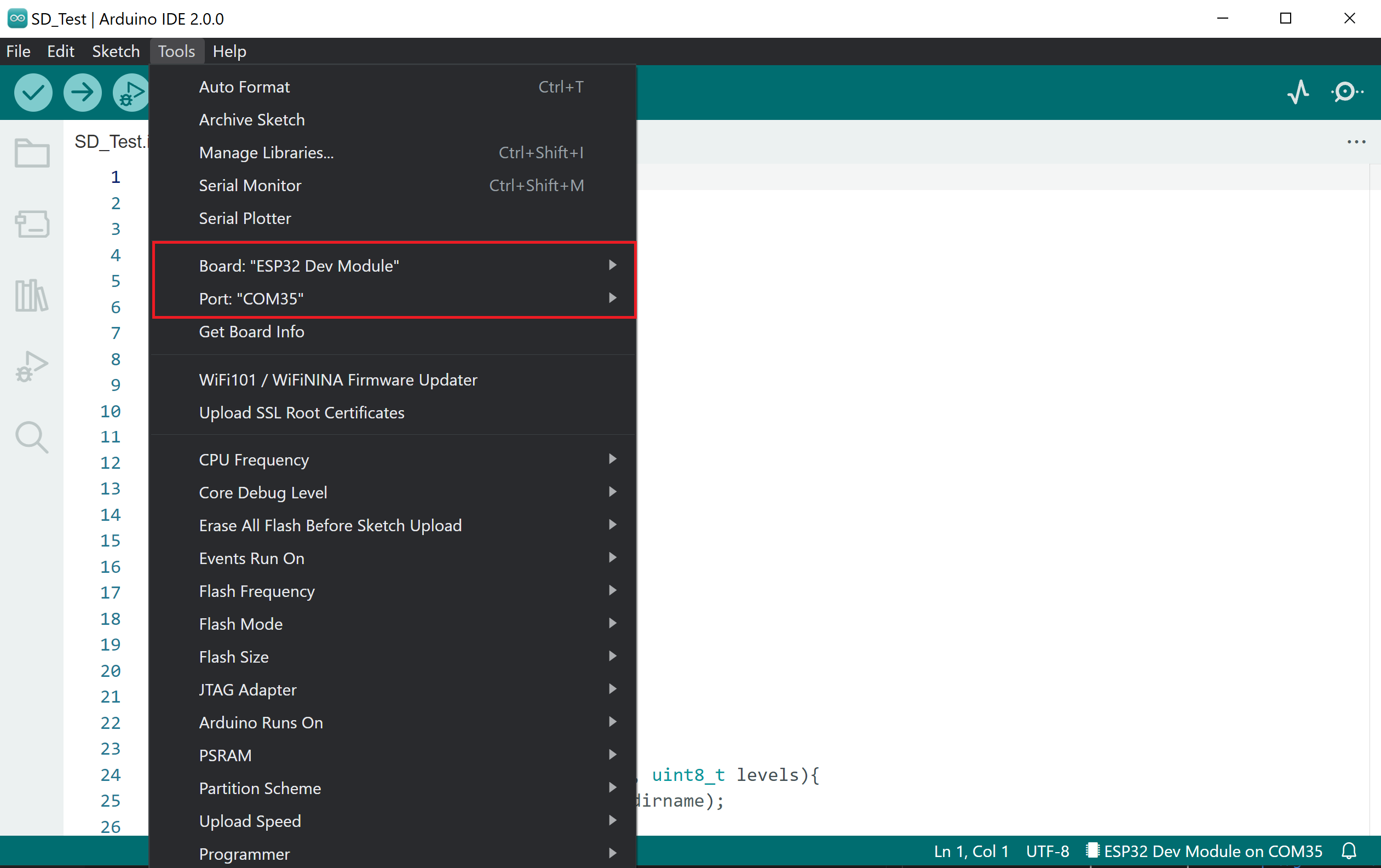
Open example with Arduino IDE and set appropriate COM port and board type.
-
Download necessary libraries.
-
Upload the code.